Amazon Price Tracker for Sellers: What to Check Before You Buy
Updated July 20, 2026
A product can look profitable because the current offer price moved up yesterday. If you order inventory using that temporary high, the margin may disappear before the stock reaches Amazon.
Price tracking gives you context, not a final buy decision. Use it alongside accurate costs, fees, competition, demand, restrictions, and a check that you matched the exact product variation.
Quick answer
A useful Amazon price tracker shows whether today's price is normal, unusually high, or near a recent low. Sellers should compare the current price with a realistic historical range, then calculate profit using a conservative price rather than assuming the highest observed price will hold.
Practical checks
Before using price history to make a sourcing decision, make sure these points are covered.
- It supports the marketplace you sell in.
- It identifies the exact ASIN or product variation.
- It separates current price from historical low, average, and high values.
- It lets you choose a conservative price for profit calculations.
- It gives you a price you can use in the rest of your product checks.
Start With the Current Price, but Do Not Stop There
The current price tells you what one part of the listing looks like now. It may reflect a temporary stock shortage, promotion ending, seller exit, or a change in the active offers.
Check whether the current price sits inside the recent range. If it is far above the average, run your profit calculation again at the average and a recent low. A product that survives both tests gives you more room for normal marketplace movement.

Use Price History to Test Your Margin
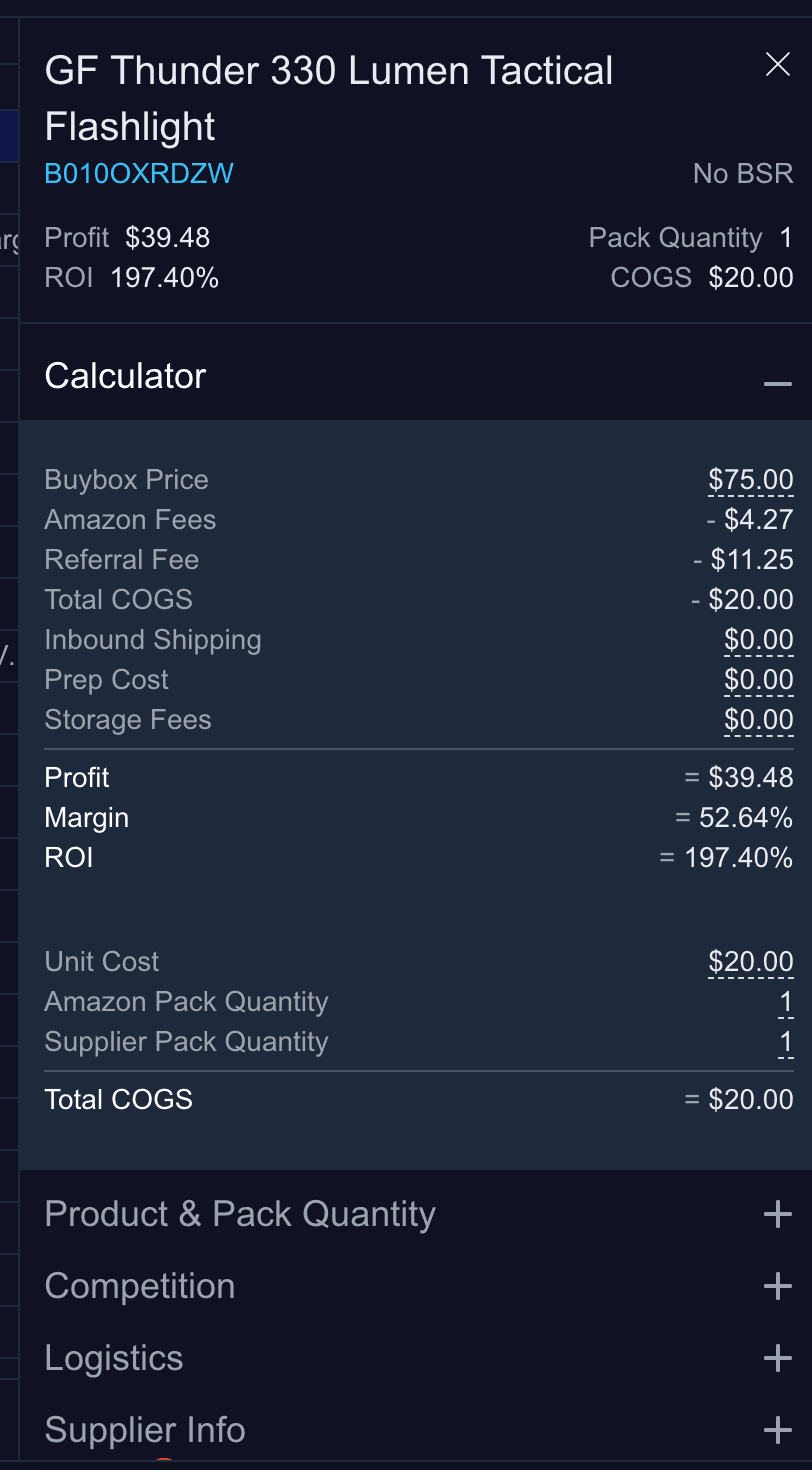
Your break-even point matters more than the chart's highest value. Add product cost, inbound shipping, preparation, fees, storage, and a buffer for unexpected changes. Then compare that break-even point with the prices the listing has actually reached.
If a common recent price falls below break-even, decide whether the deal needs a lower supplier cost, a smaller order, or a rejection. Do not assume you will always sell during the best part of the chart.
Check One Product or a Full Catalog
A free checker is useful when you are reviewing one product or testing a few deals. A supplier file with hundreds or thousands of rows needs the same rules applied to every item.
For a larger file, match identifiers, calculate fees and profit, apply the same price basis, and filter the rows before opening individual charts. This keeps attention on the products with enough margin to justify deeper research.
Apply Price Context Across a Supplier File
Rocket Source matches identifiers to Amazon listings, calculates profit and ROI, and helps you apply conservative price assumptions consistently across large catalogs.
Compare Rocket Source plansRelated Guides and Tools
- Amazon price history checker
- How to read Amazon price history
- Amazon price drops and sourcing risk
- FBA profit calculator
- Amazon product research tools
- Best Amazon seller tools
Official Resources
FAQ
What is the best Amazon price tracker for sellers?
The best option depends on the task. Use a simple checker for one ASIN and a supplier-file scan when you need the same price and profit rules across a catalog.
Does a stable Amazon price guarantee profit?
No. Stable pricing improves forecasting, but profit still depends on your purchase cost, fees, fulfillment, storage, competition, demand, restrictions, and the exact listing match.
How much price history should a seller review?
Review enough history to see whether today's price is typical and whether meaningful seasonal or competitive changes are present. A short window can miss recurring lows or temporary highs.