Amazon Seller Central Tools: What to Use Before Buying More Software
Updated July 12, 2026
Seller Central is more than the page where you check orders. It contains tools for setting up listings, estimating fees, monitoring account health, reviewing business performance, and finding product or growth opportunities.
Before paying for another app, check whether Amazon already covers the job. Then look at the steps that still require spreadsheets, repeated lookups, or data from outside your Amazon account.
Quick answer
Seller Central already includes tools for listings, inventory, orders, account health, reports, fee estimates, product opportunities, and growth recommendations. Learn those first. Add third-party software when you need a workflow Amazon does not provide, such as bulk analysis of an external supplier catalog.
How to Choose
Before adding another subscription, make sure the tool passes these practical checks.
- Use Amazon's tool when it answers the question directly.
- Check whether access depends on your selling plan, brand enrollment, or sales history.
- Use third-party software for external supplier data and cross-workflow automation.
- Avoid paying twice for reports you already review in Seller Central.
- Keep account-health and policy decisions anchored to Amazon's own pages.
Manage All Inventory
Manage All Inventory is the working view for active listings. Sellers use it to review offer status, available inventory, price, fulfillment details, and estimated fees for products already in the catalog.
It is useful after a product is listed. It is not a replacement for screening a supplier file before you decide what to buy.
Revenue Calculator and Fee Estimates
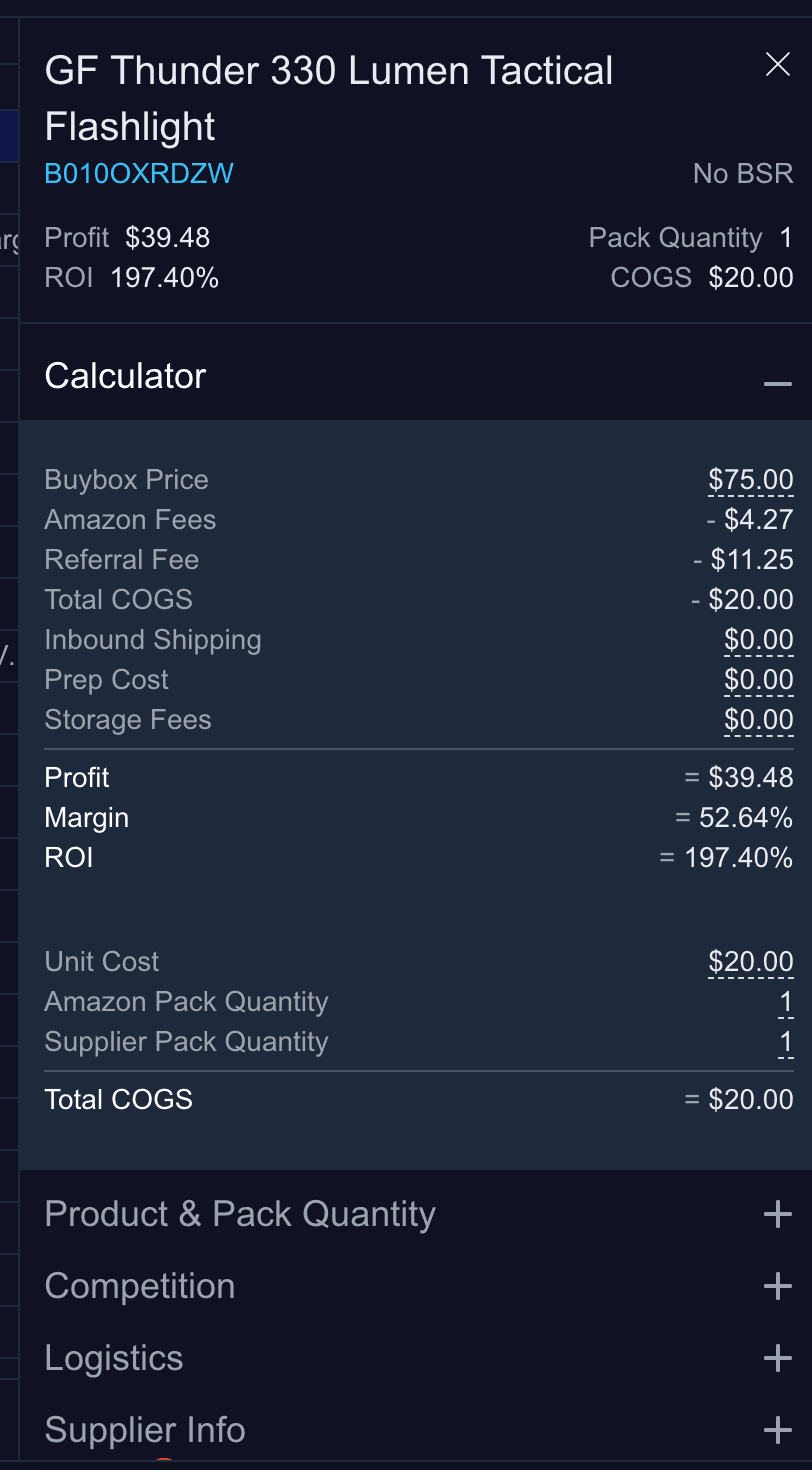
Amazon's Revenue Calculator helps compare estimated proceeds across fulfillment methods. It is a good source for single-product fee estimates and for understanding how fulfillment, storage, and referral fees affect the result.
For sourcing, add the costs Amazon cannot know automatically: supplier cost, inbound shipping, prep, labeling, expected returns, and any target margin or ROI rule.
Product Opportunity Explorer
Product Opportunity Explorer is designed to help sellers study niches and unmet customer demand. Amazon says it uses search, purchase, review, pricing, and return insights to help sellers evaluate product opportunities.
That makes it useful for product and niche discovery. Wholesale sellers still need a separate step for matching a distributor catalog and testing the economics of each supplier offer.
Growth Opportunities
Growth Opportunities gives recommendations for products you already sell. It can surface actions connected to discovery, conversion, advertising, fulfillment, and operating cost.
Use it to improve the current catalog. Do not confuse post-listing recommendations with pre-purchase sourcing validation.
Business Reports and Account Health
Business Reports help sellers review sales and traffic performance. Account Health shows policy and performance issues that can affect selling privileges. These should remain core operating checks even when third-party dashboards summarize parts of the same data.
Third-party software can make analysis more convenient, but Amazon is the source of truth for account status, policy notices, and required actions.
Where Third-Party Tools Still Help
Seller Central starts with the Amazon catalog and your Amazon account. Wholesale sourcing often starts outside Amazon—with a supplier spreadsheet, a cost column, and thousands of identifiers that still need to be matched.
Third-party tools earn their place when they connect that outside data to a repeatable decision. Rocket Source handles supplier catalog matching and bulk profitability analysis before products enter the inventory workflow.
- Analyze external supplier CSV and Excel files.
- Preserve multiple supplier offers for the same ASIN.
- Apply the same profit and ROI rules across the full catalog.
- Review historical pricing context before committing cash.
- Export a shortlist with the original supplier information.

Use the Smallest Stack That Completes the Workflow
Keep Amazon's tools at the center of account operations. Add focused software for sourcing, repricing, accounting, or inventory only when it removes a repeated bottleneck.
The right stack should feel like a sequence, not a pile: supplier data goes in, product decisions come out, and the approved products move toward ordering and listing without being rebuilt by hand.
Turn a Supplier Catalog Into a Shortlist
Rocket Source matches supplier identifiers to Amazon listings, calculates profit and ROI, adds historical pricing context, and helps you filter large catalogs without checking every row by hand.
Compare Rocket Source plansRelated Guides and Tools
- Prepare an Amazon wishlist for bulk analysis
- Best Amazon seller tools
- Amazon product research tools
- Amazon Individual vs Professional plan
- Amazon price history checker
Official Amazon Resources
- Amazon Seller Central overview
- Amazon selling tools
- Amazon Product Opportunity Explorer
- Amazon Growth Opportunities
FAQ
What tools are included in Amazon Seller Central?
Seller Central includes tools for listings, inventory, orders, account health, business reports, fee estimates, product opportunities, growth recommendations, advertising, and other account workflows. Availability can vary by plan, marketplace, brand status, and account history.
Is Amazon Seller Central free?
Seller Central access comes with an Amazon selling account. Sellers still pay the fees associated with their Individual or Professional plan and any optional services or programs they use.
Does Seller Central include product research tools?
Yes. Amazon provides tools such as Product Opportunity Explorer and Growth Opportunities. They help with niche discovery and improving products already in the catalog, but they do not replace bulk analysis of an external supplier price list.
When do sellers need third-party software?
Third-party software is useful when Amazon's tools do not cover the full workflow, such as matching supplier spreadsheets, bulk profitability analysis, repricing, specialized accounting, or cross-marketplace operations.